
4DDiG Data Recovery Free Offers Up to 2GB of Free File Recovery
NEW YORK, NY — Oct 21, 2026 — Tenorshare 4DDiG has a free data recovery tool for Windows and Mac, called 4DDiG Data Recovery Free. Users can recover up to 2GB of lost or deleted files without paying. Users can unlock the extra allowance by sharing the software on social media. It supports over 2,000 file types and works on formatted drives, lost partitions, emptied Recycle Bins and PCs that no longer boot.
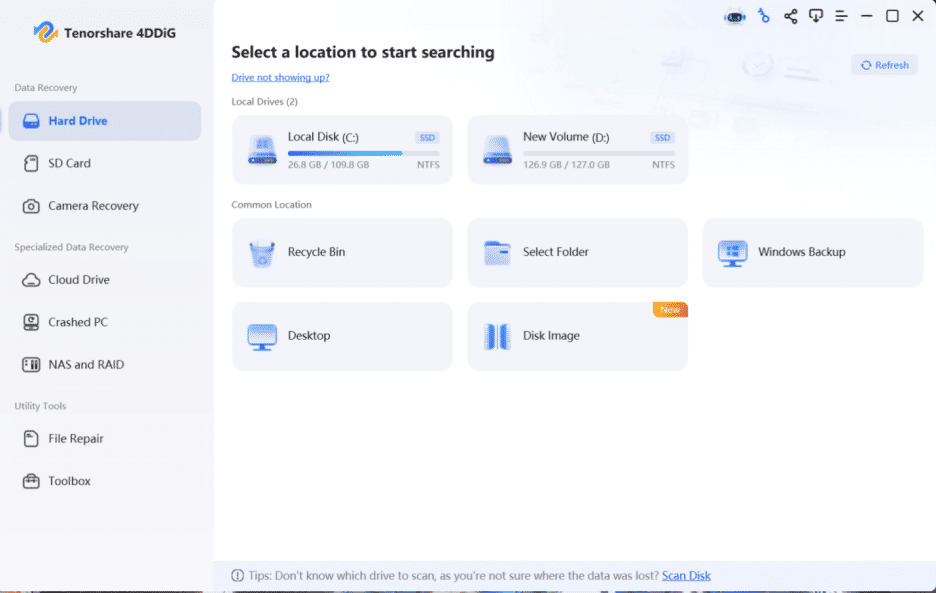
4DDiG Data Recovery Free: scan, preview, and recover files without paying.
“Most people only look for recovery software after something has already gone wrong, and they shouldn’t have to pay just to find out whether their files can be saved,” said the spokesperson of 4DDiG. “The free version lets them scan, preview, and recover real data first. If they need more, the Pro version is there.”
Why should you choose 4DDiG Data Recovery Free?
The free version is for people who want to try recovery before they pay. Here is what it includes. Up to 2GB of recovery, unlocked by a social media share. Support for 2,000+ file types, including documents, photos, videos, audio, archives, and emails. Recovery from the Recycle Bin, local disks, external hard drives, USB drives, SD and CF cards, cameras, dash cams, drones and crashed computers. Fast scanning, with the option to recover files while the scan is still running, plus a preview before you restore anything. It also has file repair tools for damaged files.
What data loss problems does it cover?
The product page lists 9 situations. Deleted files, including those removed with Shift+Delete. An emptied Recycle Bin. Accidentally formatted drives. RAW file system errors. Corrupted memory cards. Lost or inaccessible partitions. Failed or damaged hard drives. Crashed computers that won’t boot, including blue screen and black screen errors—virus infections, including files deleted by ransomware.
For unbootable computers, the software works with bootable media. It reads drives from brands such as Dell, HP, Acer, Asus, Lenovo, Toshiba, WD, Seagate, and Samsung, as well as memory cards from SanDisk, Lexar, Transcend, and others. The home screen sorts recovery by location: hard drives, SD cards and cameras, with quick access to the Recycle Bin, the Desktop or any folder you choose. If users don’t know where the files were lost, a Scan Disk option covers the whole drive.
How to recover lost files in three steps:
1. Open 4DDiG Data Recovery and pick the drive or location where the files were lost, then click Start. You can also choose the file types you want before scanning.
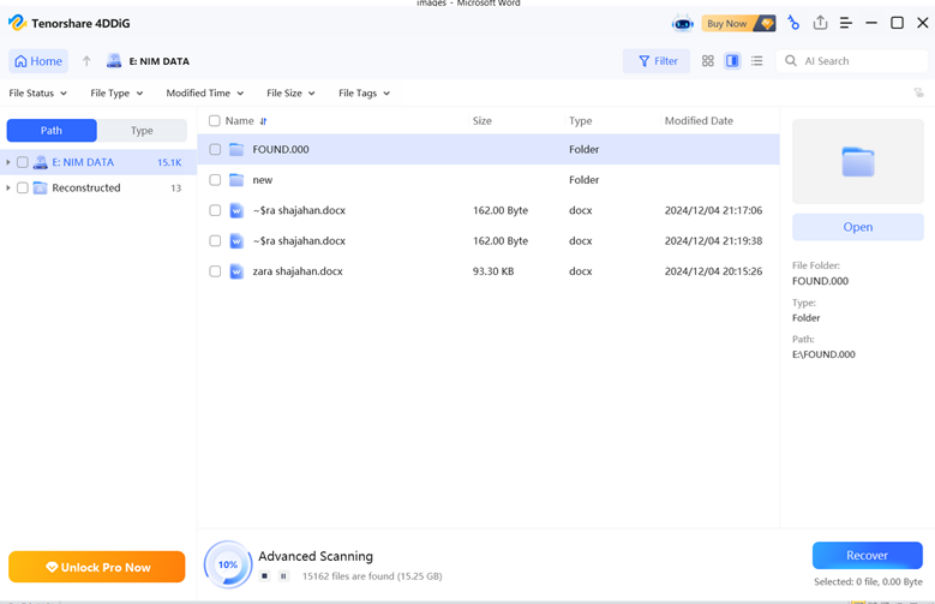
2. Let it scan. You can pause or stop at any time once you spot the files you need. Results can be viewed by folder path or by file type, and there is a search box and a filter to narrow things down.
3. Preview the files, select them, and click Recover. Don’t save them to the same partition they were lost from, because that can overwrite the data. Files can be saved to a local disk or to Google Drive.
The official guide has step-by-step tutorials for each situation:
https://4ddig.tenorshare.com/4ddig-data-recovery-guide.html
Free vs. Pro
The free version recovers up to 2GB. The Pro version removes the limit and costs $45.95 per month. There is a 30-day money-back guarantee, and users can upgrade directly from the free version.
Compatibility:
4DDiG Data Recovery Free runs on Windows 11, 10, 8.1, 8 and 7, and on macOS 15 through 10.12. It reads NTFS, FAT32, FAT16, exFAT, EXT4, EXT3, EXT2, HFS, HFS+, and APFS file systems, and the interface supports 16 languages.
Free recovery can’t promise results in every case. The sooner a user starts after losing files, and the less the drive has been used since, the better the chances. To find out how much can be recovered, download the free version here: https://4ddig.tenorshare.com/free-data-recovery.html
About 4DDiG:
4DDiG, a unit of Tenorshare, is built around its brand concept, “Dig Your Computer = Dig Your Diamond.” The idea is that the photos, videos, and documents on a computer are worth more than the device, and that lost data can be dug back up. Besides data recovery, 4DDiG offers software for repairing damaged photos, videos and documents, deleting duplicate files, managing partitions, backing up Windows, and fixing Windows boot problems.
Source : Tenorshare Co. Ltd.